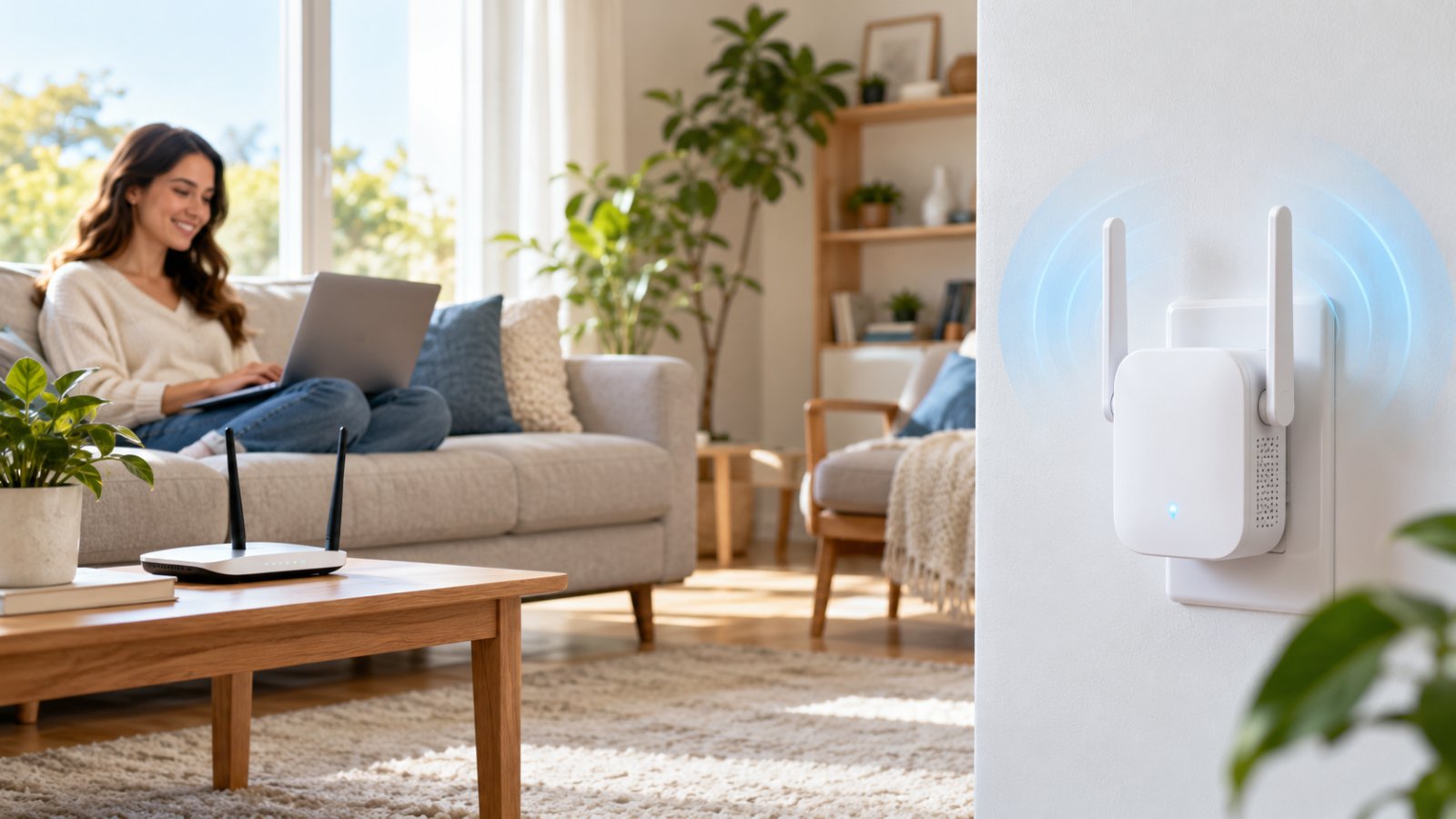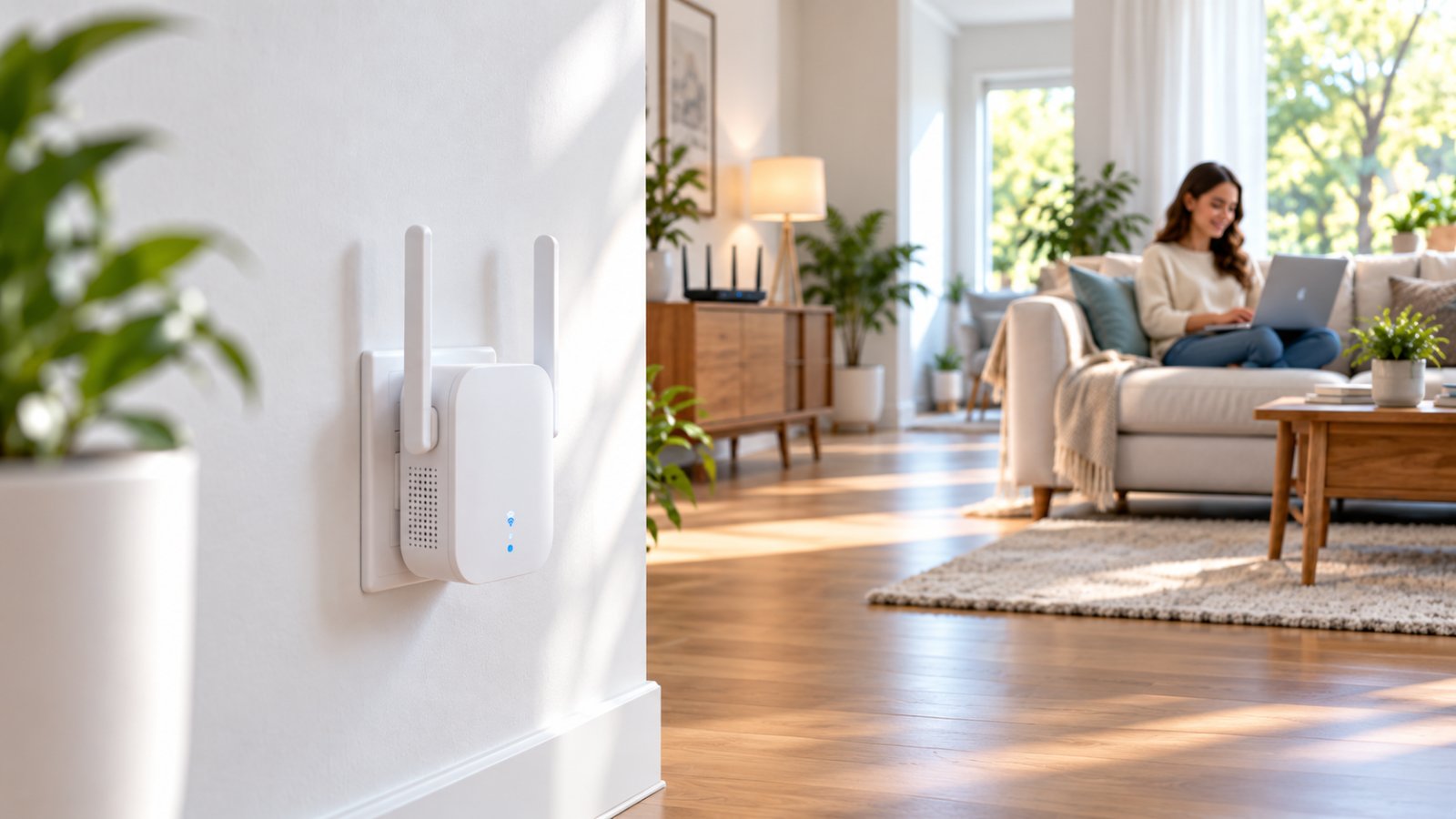
A WiFi extender with a huge coverage claim looks like an easy fix for a large home. So you buy one, plug it into the upstairs bedroom where the signal is weakest, and connect your laptop. The WiFi bars improve, but video calls still freeze and websites load slowly.
The problem is usually placement, not the advertised coverage figure. The best wifi extender for large house coverage is one that receives a reliable signal from the main router and extends it into the rooms that need better connectivity. If your router works well downstairs but struggles in one or two upstairs rooms, a dual-band AC1200 or WiFi 6 extender may be enough.
If poor WiFi affects several floors, a distant home office, or rooms separated by thick concrete, a wired access point or mesh system may be a better investment. This guide compares those options by coverage requirements, wireless technology, backhaul, Ethernet connectivity, installation difficulty, and everyday performance. The recommendations are based on published capabilities and networking principles, not invented speed tests.

Best WiFi Extender for Large House: What Actually Matters?
A large house does not automatically need the most expensive extender.
What matters is how the building is arranged and where the existing WiFi stops working properly.
A 3,000-square-foot house with an open floor plan may be easier to cover than a smaller property with reinforced concrete ceilings, brick partitions, and a router tucked inside a utility cabinet.
Even two neighboring rooms can behave differently.
You might get a strong connection in the upstairs hallway but struggle to load a webpage in the bedroom beside it. The difference could be a tiled bathroom, plumbing, a metal wardrobe, or the angle at which the signal travels through a wall.
Before buying anything, identify the actual problem.
Is your laptop disconnecting upstairs? Does a security camera go offline? Is the WiFi strong but slow? Or does the connection work in one half of the property and disappear completely in the other?
Those problems do not always have the same solution.
An extender can help when there is already a usable WiFi signal somewhere between the router and the problem area.
It is much less effective when the building blocks the router's signal throughout an entire floor.
How We Evaluated the Best Extender Options
The options in this guide are compared using criteria that matter during ordinary home use.
No laboratory results, measured speeds, or product rankings are claimed.
Coverage requirements
The first consideration is how much of the house needs better WiFi.
A single upstairs bedroom may need one extender. Three distant rooms across separate floors may require several coordinated access points.
Backhaul quality
Backhaul is the connection between the extender and the main network.
A wireless extender usually uses WiFi for this connection. A wired access point uses an Ethernet cable.
Poor backhaul can make a strong-looking extended network feel slow.
Wireless bands
Most useful modern home extenders support 2.4 GHz and 5 GHz.
The 2.4 GHz band can work better over longer distances or through certain obstacles. The 5 GHz band generally offers greater wireless capacity when signal conditions are favorable.
WiFi generation
AC1200 products typically use WiFi 5 technology.
AX1800 products use WiFi 6, which introduces improvements to wireless efficiency and supports higher theoretical rates in common configurations.
Neither designation guarantees the speed you will receive.
Ethernet connectivity
An Ethernet port is helpful if you want to connect a desktop computer, television, or other wired device.
However, you must check whether the extender supports access point mode. An Ethernet port intended for a client device does not necessarily support wired backhaul.
Installation difficulty
A plug-in extender is generally easier to install than a wired access point.
A mesh system may offer convenient app-based management, but replacing a router or setting up several nodes can require more planning.
Device requirements
A family laptop, outdoor camera, smart plug, and gaming console have different networking needs.
The best choice should support the devices in the problem area rather than simply offer a long list of specifications.
Long-term usefulness
If your router is already outdated or the house needs several coverage points, buying one inexpensive extender may only postpone a more appropriate network upgrade.
The objective is to solve the current coverage problem without creating unnecessary complexity.
Why Advertised Coverage Numbers Can Be Misleading
You will find extenders advertised with coverage figures reaching thousands of square feet.
Those numbers are not guarantees for your home.
Wireless coverage depends heavily on building materials, router placement, interference, and the connection between the extender and the router.
Imagine a house with an open staircase connecting the living room and upstairs hallway.
Wireless signals may travel relatively well through that open space.
Now consider another house with concrete floors and enclosed stairwells. The same extender may struggle because the signal must pass through much denser materials.
The floor area could be identical.
Other conditions matter too:
-
Thick brick or stone walls.
-
Reinforced concrete ceilings.
-
Metal cabinets and large appliances.
-
Mirrors and reflective surfaces.
-
Neighboring wireless networks.
-
Long hallways with several closed doors.
-
Router antennas and positioning.
-
Wireless settings and channel congestion.
-
The number of active devices.
-
The capabilities of the phone or laptop being used.
A coverage claim cannot account for all these differences.
It is better to check the extender's supported bands, operating modes, Ethernet capabilities, and compatibility.
Then determine whether the building offers a suitable location for it.
Why Extender Placement Matters More Than Maximum Range
A conventional WiFi extender needs to communicate with two things: the main router and the devices using the extended connection.
Suppose the router is downstairs.
The upstairs bedroom receives very weak WiFi, but the staircase landing still has a stable connection.
Installing the extender on the landing may work well because it can receive data from the router and serve devices farther upstairs.
Installing it inside the bedroom may fail because the extender itself receives almost no usable signal.
The extender can create a new wireless network with strong signal bars even when its connection back to the router is poor.
That is why signal bars on your phone do not tell the whole story.
There are two connections to think about:
-
The router-to-extender connection.
-
The extender-to-phone or extender-to-laptop connection.
Both need to work.
If the first connection is weak, improving the second connection will not solve the problem.
Start with an outlet between the router and the weak room. Use the extender's connection indicator or management interface, if available, to judge the router link.
If that link is poor, move the extender closer to the router.
How Much Speed Do You Actually Need?
Different rooms have different requirements.
A guest bedroom used for browsing and messaging does not require the same connection as a home office where several people attend video meetings.
An outdoor camera needs dependable upstream connectivity because it may transmit video over the network.
A gaming device benefits from low latency and fewer interruptions.
A streaming television needs enough consistent throughput to avoid buffering.
Before selecting an extender, write down which devices are affected and what they do.
For example:
-
Upstairs bedroom: one phone and a television.
-
Home office: two laptops, a printer, and frequent video calls.
-
Garage: one smart controller and a security camera.
-
Family room: television, gaming console, phones, and tablets.
For the bedroom, a basic dual-band extender may be sufficient.
For a busy home office, a wired access point may provide a better connection.
For a garage camera, reliable 2.4 GHz coverage may matter more than maximum advertised wireless speed.
Do not buy based on the highest number printed on the box.
Buy for the room and the activity.
Best WiFi Extender Types for Large Homes Compared
The following options address different coverage problems.
An AC1200 extender is not automatically inferior to a WiFi 6 extender for every household. A mesh system is not automatically necessary because a property has two floors.
The right type depends on how much coverage is missing, how the router connects to the new equipment, and the devices you need to support.
| WiFi solution | Best suited for | Main advantage | Main limitation |
|---|---|---|---|
| AC1200 dual-band extender | One or two weak rooms | Simple, practical coverage extension | Wireless backhaul can reduce throughput |
| AX1800 WiFi 6 extender | Busy rooms with newer devices | More wireless capacity under suitable conditions | Still needs a reliable router connection |
| Extender with Ethernet | Desktop computer, television, or wired device | Provides a wired client connection | Ethernet port may not support wired backhaul |
| Wired access point | Separate floor or distant office | Stable wired connection to the network | Requires Ethernet installation |
| Mesh WiFi system | Several weak areas around a large house | Coordinated coverage from multiple nodes | Greater cost and setup considerations |
| Outdoor access point | Patio, garage, or outdoor cameras | Suitable coverage closer to outdoor devices | Needs appropriate outdoor installation |
The table compares solution types rather than presenting unverified product performance rankings.
Option 1: AC1200 Dual-Band WiFi Extender for Everyday Coverage
An AC1200 dual-band extender is a practical starting point when the existing router already serves most of the house.
You may only need to reach one bedroom, an upstairs hallway, or a nearby office.
AC1200 generally describes a WiFi 5 class combining theoretical wireless rates across two bands.
A typical configuration supports up to approximately 300 Mbps on 2.4 GHz and 867 Mbps on 5 GHz.
Those are theoretical link rates, not guaranteed internet speeds.
Who it is for
An AC1200 extender makes sense when:
-
Most downstairs rooms already have good WiFi.
-
One or two upstairs rooms struggle.
-
You want to retain your existing router.
-
The problem area is reasonably close to a location with reliable router coverage.
-
The main activities are browsing, messaging, streaming, and ordinary remote work.
-
You prefer a straightforward plug-in installation.
Consider a two-story house where the router sits beside the downstairs television.
The upstairs landing has usable WiFi, but the bedroom at the end of the hall does not.
An extender on the landing may improve the bedroom connection without requiring a new router or permanent network cabling.
Strengths
An AC1200 extender supports common home networking needs and can work with many existing routers.
Dual-band operation provides flexibility for different devices.
The 2.4 GHz network may suit certain distant smart home devices, while the 5 GHz network can serve compatible devices closer to the extender.
Setup is often manageable without professional help.
Limits
The main limitation is the wireless backhaul.
When the extender receives a weak signal from the router, its performance suffers regardless of the strength of its own WiFi broadcast.
A basic dual-band extender may also share wireless airtime between connected devices and the router connection.
This can reduce available throughput, especially during simultaneous activity.
An AC1200 extender is therefore best considered a targeted coverage solution, not a complete network replacement.
Option 2: WiFi 6 Extender for Larger Connected Households
A WiFi 6 extender may be worthwhile if the weak area contains several active devices.
Imagine an upstairs family room with a television, two laptops, smartphones, and a gaming console.
Several devices may be transmitting and receiving data at the same time.
WiFi 6 includes technologies that can improve wireless efficiency, particularly with compatible equipment.
However, those improvements do not remove the need for a reliable connection to the router.
Who it is for
Consider a WiFi 6 extender if:
-
Your router supports WiFi 6.
-
Several newer devices share the extended network.
-
The distant area handles frequent video calls or streaming.
-
You want additional wireless capacity.
-
Your current extender is a performance bottleneck despite good placement.
Strengths
WiFi 6 products can support higher theoretical wireless performance than comparable older classes.
They may offer more efficient communication among multiple compatible devices.
Some also include Gigabit Ethernet ports and additional configuration features.
A suitable model may be a reasonable investment for a household already using newer networking equipment.
Limits
A WiFi 6 extender cannot turn a weak router signal into a high-quality backhaul.
If it is placed behind concrete walls where the router signal is barely usable, performance may still be disappointing.
An older router can also limit the available benefits.
Before paying for newer wireless technology, check whether the current router and connected devices can use those features.
Do not upgrade simply because the model name contains AX.
Option 3: WiFi Extender With Ethernet for Home Offices
An extender with Ethernet can be useful when a distant device has a network port.
For example, a desktop computer may have unreliable built-in WiFi but work better when connected by cable to an extender positioned on the desk.
A television or compatible gaming console may benefit from the same arrangement.
The connection between the device and extender is wired.
The connection from the extender to the router may still be wireless.
That distinction matters.
Who it is for
This type suits homes where:
-
A desktop computer needs connectivity in a distant room.
-
A television has an Ethernet port.
-
A printer is more convenient to connect by cable.
-
You cannot run Ethernet all the way back to the router.
-
The extender can maintain a good wireless connection from its chosen position.
Strengths
Ethernet removes the wireless connection between the attached device and the extender.
That can help when the device's own WiFi adapter is weak or poorly positioned.
It also provides a straightforward option for equipment with no wireless capability.
Limits
The wireless connection between the extender and router remains the limiting factor.
An Ethernet cable connected to a poorly positioned extender will not solve weak backhaul.
Check the Ethernet port speed as well.
A 10/100 Mbps port cannot provide the same theoretical wired throughput as a Gigabit port.
That may not matter for basic browsing or a printer. It can matter for a fast internet connection or high-throughput device.
Finally, check supported operating modes. Not every extender with Ethernet can operate as a wired access point.
Option 4: Wired Access Point for Multi-Story Homes
A wired access point is often the stronger technical choice when floors or thick walls significantly weaken WiFi.
An access point connects to the network through Ethernet and provides wireless coverage in its location.
Because the backhaul is wired, it does not depend on receiving a strong WiFi signal from the distant router.
Who it is for
Consider a wired access point when:
-
The router is downstairs and the office is upstairs.
-
Reinforced concrete separates floors.
-
Ethernet cabling is already installed.
-
A distant section of the home needs reliable connectivity.
-
Several devices use the same remote area.
-
Previous wireless extender placements have failed.
Suppose the router is on the ground floor of a three-story house.
The top floor has almost no usable WiFi.
An extender on the top floor cannot reliably connect through two concrete slabs.
A network cable to a top-floor access point avoids that wireless path.
Strengths
The connection between the router and access point is generally more predictable.
A wired access point can provide strong local wireless coverage without consuming wireless airtime for its backhaul.
It may also be better for sustained video calls, streaming, and several active devices.
Limits
Installation can be inconvenient.
Some homes have Ethernet wiring already available. Others require new cables.
Renters may not have permission to alter walls or ceilings.
Certain access points also require Power over Ethernet equipment or a separate power adapter.
A wired access point needs appropriate configuration too.
Incorrect router settings or network connections can create avoidable problems.
Option 5: Mesh WiFi for Whole-Home Coverage
Mesh is often a better fit when WiFi problems appear throughout a large property rather than in one room.
A mesh system uses a main node and additional compatible nodes to provide coordinated coverage.
Many systems include a management app that helps users configure and monitor the network.
Some support wired backhaul, which can improve performance when Ethernet is available.
Who it is for
Mesh may be suitable when:
-
Several upstairs and downstairs rooms have weak WiFi.
-
The house has a long or irregular floor plan.
-
More than one additional coverage point is needed.
-
People regularly move between rooms during calls.
-
You want coordinated management of multiple nodes.
Strengths
A mesh system can provide coverage through several strategically positioned nodes.
It may simplify the management of network names, passwords, and device connections.
Compatible mesh features can also assist with roaming.
However, the phone or laptop still influences when it changes connections.
Limits
Mesh is typically a larger investment than a single extender.
Wireless mesh nodes still need reliable links to the main network or neighboring nodes.
A mesh node installed in a dead zone is not automatically useful.
The overall system also needs to be compatible with your router setup.
Some products replace the existing router, while others support access point operation.
Check the intended configuration before purchasing.
Option 6: Outdoor Access Point for Security Cameras and Patios
Outdoor cameras often expose coverage problems that are not obvious indoors.
A phone may connect reliably beside the living room window while a camera on the driveway repeatedly goes offline.
The exterior wall, camera mounting position, and distance may be responsible.
An indoor extender can sometimes help, but only when it can receive a good router connection and provide usable coverage through the wall.
For larger outdoor areas, an outdoor-rated access point may be more appropriate.
Who it is for
Consider outdoor networking equipment when:
-
Cameras are mounted far from the house.
-
The driveway or patio needs reliable WiFi.
-
A detached garage has poor coverage.
-
Exterior walls block much of the indoor signal.
-
Several outdoor devices need connectivity.
Strengths
An outdoor access point can be installed closer to the devices being served.
Models designed for exterior use may offer appropriate environmental protection and mounting options.
A suitable installation can provide more predictable coverage than relying on an indoor router to reach through several walls.
Limits
Outdoor equipment requires proper installation.
Check the device's environmental rating, power requirements, cabling, mounting instructions, and relevant safety requirements.
Do not place an ordinary indoor plug-in extender outdoors.
Also remember that the access point needs a reliable network connection of its own.
Moving wireless equipment closer to the camera is helpful only if that equipment can communicate reliably with the rest of the network.
AC1200 WiFi Extender Coverage: What Buyers Should Know
AC1200 extenders remain relevant for households that need dependable everyday coverage without replacing their existing router.
They are particularly useful when the main network already performs well but one section of the house receives a weak signal.
However, AC1200 wifi extender coverage depends on placement and backhaul quality.
The wireless class alone cannot tell you how far the signal will reach inside your building.
What AC1200 Actually Means
AC1200 is a WiFi 5 performance class commonly used for dual-band equipment.
A typical AC1200 device supports theoretical rates of approximately:
-
300 Mbps on the 2.4 GHz band.
-
867 Mbps on the 5 GHz band.
These numbers describe wireless link capabilities under suitable conditions.
They do not mean that a connected phone will receive 1,200 Mbps of internet speed.
The two figures are also not combined into one connection for an ordinary client.
A phone generally connects over one band at a time.
Actual performance is affected by:
-
Signal strength.
-
Interference.
-
Router capability.
-
Extender capability.
-
Client capability.
-
Wireless channel width.
-
Network congestion.
-
Backhaul conditions.
-
Protocol overhead.
Consider an internet plan capable of high speeds beside the router.
If an AC1200 extender is positioned where the router's signal is weak, a laptop connected through the extender may receive much lower throughput.
Replacing the extender with a higher-rated model will not necessarily fix that underlying signal path.
How AC1200 Performs in Large Houses
An AC1200 extender can work well for a particular section of a large house.
It may help provide better connectivity in an upstairs bedroom, guest room, hallway, or nearby office.
But the improvement will depend on whether the extender's router connection is reliable.
An open staircase can be useful because it may provide a less obstructed path between floors.
A landing may be a better position than an enclosed bedroom.
In a long single-story house, a hallway outlet may work better than an outlet behind a large refrigerator.
The correct position is the one that provides both a reliable router connection and usable coverage where needed.
AC1200 is not a promise of whole-home coverage.
If weak WiFi affects several floors or distant rooms, a different network design may be necessary.
ROOXIS AC1200 WiFi Extender: Features and Suitable Uses
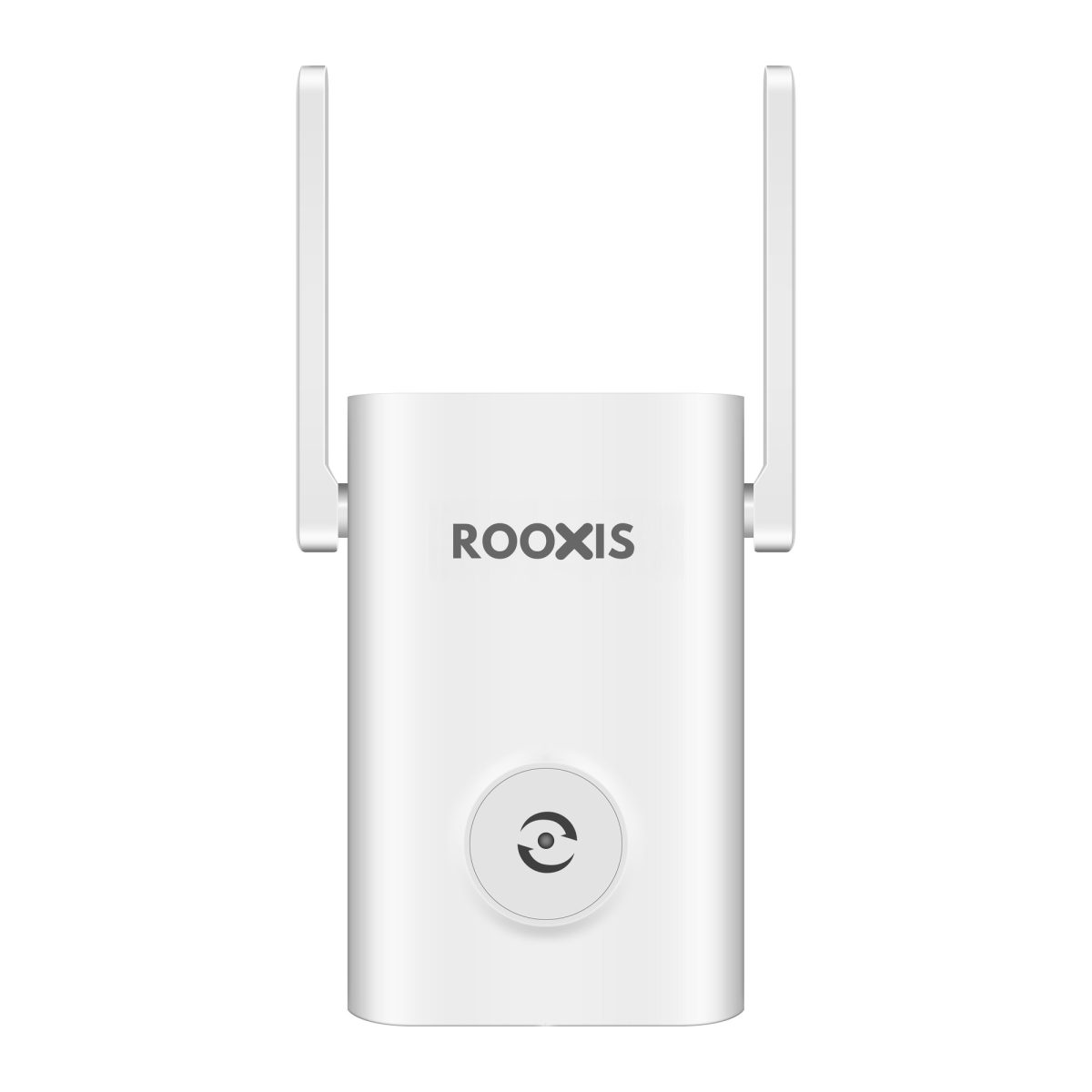
The ROOXIS AC1200 Dual Band WiFi Extender is one example of an AC1200-class device for extending existing home WiFi.
Its published product specifications include dual-band WiFi operation, external antennas, MU-MIMO support, WPS setup, and a 10/100 Mbps Ethernet port.
The product also advertises a large potential coverage area under suitable conditions.
That figure should not be interpreted as guaranteed coverage in every building.
A concrete three-story house and an open-plan property can produce very different results.
Suitable uses include:
-
Improving WiFi in an upstairs bedroom.
-
Reaching a guest room beyond the main router's reliable range.
-
Providing coverage to a nearby home office.
-
Extending WiFi toward compatible smart home devices.
-
Improving wireless availability in a hallway or living area.
The product is better evaluated as a targeted coverage solution than as a replacement for a multi-node network covering an entire complex building.
For specifications and available networking options, visit the ROOXIS official website.
When AC1200 Is Better Than Buying a Faster Extender
The cheaper or older wireless class can be the more sensible purchase when it meets the actual requirement.
Suppose the upstairs guest room is used for occasional browsing and streaming.
The router signal is reliable on the landing.
An AC1200 extender installed there may provide adequate coverage.
A more expensive WiFi 6 extender might offer additional wireless capability, but the household may not notice much difference during those activities.
Before paying for a higher-rated model, ask:
-
Is the current router connection reliable where the extender will go?
-
How many devices will use the extended network?
-
Are the devices WiFi 6 compatible?
-
Is the main problem coverage or capacity?
-
Does the household need Gigabit Ethernet?
-
Would wired backhaul solve a more important issue?
If the problem is simply one room beyond the router's reliable range, AC1200 may be a practical choice.
When You Should Choose More Than AC1200
AC1200 may be less suitable when the extended network must handle several demanding devices simultaneously.
For example, a distant upstairs office may have multiple laptops making video calls while a television streams and a desktop computer transfers large files.
A more capable WiFi 6 extender might help if the backhaul is already strong.
But if the extender must connect through dense concrete floors, wired backhaul may be more valuable than the wireless rating.
Consider alternatives when:
-
Several areas need additional coverage.
-
There is no good location for a wireless extender.
-
Multiple users require sustained throughput.
-
You need Gigabit wired connectivity.
-
A distant office requires dependable low-latency performance.
-
Existing Ethernet cabling is available.
-
Your current router is itself a major bottleneck.
The better investment may be an access point or mesh system rather than a faster conventional extender.
Best Extender for Multi Story House: How Floor Layout Changes the Decision
WiFi coverage across floors is not simply a matter of distance.
The signal must travel through building materials, sometimes at difficult angles.
A router positioned directly below an upstairs bedroom may still struggle if a reinforced concrete floor separates them.
The best extender for multi story house coverage should therefore be chosen with the building layout in mind.
Two-Story House With the Router Downstairs
Start by checking signal quality near the staircase.
If WiFi works well on the upstairs landing but poorly inside a distant bedroom, a dual-band extender may help.
Place it where the downstairs router connection remains reliable.
Do not assume the far bedroom is the correct installation point.
If the bedroom and landing both receive weak WiFi, try a location nearer the router or investigate wired alternatives.
For ordinary browsing and streaming, AC1200 may be enough.
For several demanding devices, WiFi 6 or a wired access point may be more appropriate.
Three-Story House With Weak WiFi on the Top Floor
A three-story home is more challenging because a ground-floor router may need to communicate through multiple floor structures.
Placing a conventional extender on the second floor may help when the second-floor connection is strong.
But the upper floor may still be difficult to cover.
Avoid buying several extenders and automatically chaining them together.
Multiple wireless hops can reduce throughput and introduce additional instability.
If Ethernet reaches the upper floor, an access point is often preferable.
A carefully planned mesh system may also be appropriate.
Test the available wireless paths before deciding.
Long Single-Story House With Distant Rooms
A long property can have weak WiFi because the router sits at one end.
For example, the internet connection may enter the house near a front office while the bedrooms sit beyond the kitchen and several internal walls.
An extender positioned along a central hallway may improve coverage.
However, avoid locations behind large appliances or thick partitions.
If several distant rooms need strong connectivity, consider a wired access point closer to that section of the house.
One appropriately placed access point can be more effective than several poorly positioned extenders.
House With Concrete Floors and Thick Walls
Concrete and dense masonry can significantly weaken wireless signals.
Metal reinforcement can make the problem worse.
Do not assume that a stronger extender will overcome every floor or wall.
Instead, find a location where a useful wireless path exists.
A staircase or open atrium may be a better location than a room directly above the router.
If the connection remains poor in every plausible extender position, a wired access point is often the better option.
A mesh system with wireless backhaul can face similar limitations.
Home With a Detached Garage or Garden Office
A detached building is not the same as another room inside the house.
Outdoor distance, exterior walls, and weather-related installation requirements all matter.
An indoor extender near the back window may help in limited circumstances.
But it may not reliably serve a separate building.
For permanent connectivity, consider a properly installed wired connection, an outdoor wireless bridge, or an appropriate outdoor access point arrangement.
The correct solution depends on distance, physical conditions, equipment compatibility, and installation requirements.
Do not run ordinary indoor network cables outdoors without considering electrical safety and environmental exposure.
How to Choose a WiFi Extender Based on Your Situation
The quickest way to narrow your options is to start with the location that needs better WiFi.
Decide whether you have one weak room, several weak rooms, or a larger problem with the router itself.
Then consider what devices use that area.
Best Choice for One Upstairs Bedroom
A dual-band extender is often the first option worth considering.
Look for an outlet on a staircase landing or nearby hallway that still receives reliable router coverage.
If the room is mainly used for a phone, laptop, or television, an AC1200 extender may be adequate.
If several newer devices use the room heavily, a WiFi 6 extender may be worthwhile.
Do not purchase more than one extender before testing whether a single well-positioned device solves the problem.
Best Choice for a Large Family Home
When several floors and rooms need better WiFi, think beyond a single plug-in extender.
A mesh system may offer coordinated coverage from several nodes.
If Ethernet cabling is available, access points can provide a more predictable wired-backhaul arrangement.
Plan around where family members actually use the internet.
A strong network near the hallway ceiling is not the goal.
Reliable connections in bedrooms, offices, living areas, and other regularly used spaces are what matter.
Best Choice for a Home Office
For frequent video meetings and remote work, stability is the priority.
A wired Ethernet connection directly to the router or through a properly installed access point is often preferable when available.
If cabling is not practical, choose an extender that can maintain a reliable router connection.
An Ethernet port may be useful for a desktop computer.
But remember that a wired computer connected to a wireless extender still depends on the extender's backhaul.
Best Choice for Smart Home Devices
Many smart home devices support 2.4 GHz WiFi.
That can make a dual-band extender useful near the edge of existing coverage.
Before buying, check whether the problem is actually signal strength.
Some smart home devices fail during setup because of incompatible wireless settings, account requirements, or band selection.
A device that cannot complete its initial connection beside the router probably will not be fixed by adding an extender.
Confirm compatibility first.
Best Choice for Outdoor Security Cameras
Check the camera's supported wireless band and its actual mounting location.
A nearby indoor extender may help when the camera is just beyond reliable router coverage.
For a distant driveway or detached structure, use equipment suitable for the outdoor environment.
Camera reliability depends on stable connectivity, particularly when sending video upstream.
Do not choose based solely on maximum download speed.
Best Choice for Renters
Renters often need a solution that does not involve drilling or installing permanent cables.
A plug-in extender can be convenient when a suitable outlet is available.
A compatible mesh system may also be useful.
Check whether the router belongs to the property owner or internet provider and whether you can change its settings.
Avoid running exposed cables across walking areas.
If you cannot modify the network equipment, choose an option compatible with the existing setup.
How to Check Whether Your Large House Actually Needs an Extender
Before purchasing an extender, spend some time testing your existing WiFi.
A basic walkthrough can help determine whether the problem is coverage, network congestion, or an issue with the main router.
Use the same phone or laptop for each location.
Step 1: Test WiFi Near the Main Router
Stand close to the router and connect to your home WiFi.
Open a trusted speed-testing service or the test provided by your internet service provider.
Check download speed, upload speed, and latency.
Repeat the test if the result appears unusual.
You are establishing a reference point, not conducting a laboratory measurement.
If the connection is consistently poor beside the router, adding an extender is unlikely to solve the original issue.
Check your internet service, router configuration, connected devices, and firmware first.
Step 2: Test the Weakest Room
Move to the room where WiFi causes problems.
Run the same test.
Then try the actual activity that matters there.
For example:
-
Join a video meeting.
-
Stream a video.
-
Open several ordinary websites.
-
Upload a file.
-
Check a security camera feed.
Look for interruptions and inconsistent response, not just maximum speed.
A room can display reasonable WiFi signal bars while still experiencing congestion or packet loss.
Step 3: Find the Point Where the Signal Weakens
Walk slowly from the router toward the problem room.
Check the connection in several useful locations.
In a two-story house, try the bottom of the staircase, the landing, the upstairs hallway, and the doorway of the weak bedroom.
Identify where the connection changes from reliable to unreliable.
This helps you find a possible extender location.
If WiFi becomes unusable before reaching the stairs, an upstairs extender may have no suitable backhaul location.
That is useful information before buying.
Step 4: Check Nearby Power Outlets
A conventional plug-in extender needs a safe, accessible outlet.
Check the available locations around the last reliable signal area.
Avoid outlets hidden behind large metal furniture or inside cabinets.
Also check that the extender will not block important switches or create an obstruction.
If the product has external antennas, leave adequate clearance.
Do not install an indoor extender in a damp or exposed environment.
Step 5: Decide Whether a Wireless Link Is Good Enough
If you find a location with reliable router WiFi that is close enough to serve the weak area, a wireless extender may work.
If every candidate location has poor signal, reconsider the approach.
Possible alternatives include:
-
Moving the router to a more central position.
-
Using existing Ethernet cabling.
-
Installing a wired access point.
-
Using a coordinated mesh system.
-
Improving router placement.
-
Investigating a router upgrade.
Do not buy an extender before establishing where it can receive a usable signal.
Where to Place a WiFi Extender in a Large House
Correct placement is often more important than choosing between similar extender models.
You want an outlet where the device can communicate well with the main router while providing useful coverage to the target room.
Place It Between the Router and the Dead Zone
A position roughly between the router and the weak room is a reasonable starting point.
It is not a fixed rule.
If the halfway position has poor router reception, move the extender closer to the router.
If the router link is strong but the extender cannot reach the target room, try another suitable location closer to that room.
The correct placement balances both connections.
Use Staircases and Open Hallways
Staircases can sometimes provide a less obstructed path between floors.
An extender on an upstairs landing may receive a better signal than one behind several bedroom walls.
Open hallways can also help in long houses.
However, every building is different.
Use actual connection quality to judge the location.
Avoid Metal Objects and Large Appliances
Avoid placing the extender immediately beside large sources of obstruction or interference.
Examples include:
-
Refrigerators.
-
Metal cabinets.
-
Large appliances.
-
Reinforced structural columns.
-
Utility panels.
-
Dense clusters of electronics.
If an outlet near a staircase provides a clear signal path, it may work better than one located behind a kitchen appliance.
Do Not Hide the Extender Behind Furniture
Avoid installing the extender inside a cupboard or behind a large cabinet.
Those locations may weaken the signal and interfere with ventilation.
If the extender has external antennas, follow the manufacturer's positioning guidance.
Do not assume that all antennas should point toward the weak room.
Antenna patterns differ, and orientation can affect performance.
Test More Than One Position
If the first location is disappointing, try another outlet.
Test the connection in the same target room each time.
Make only one significant change at a time so you know what helped.
After moving the extender, allow it to reconnect fully.
Then check browsing, video calls, or another activity relevant to the room.
Keep the position that delivers the most consistent connection.
How to Set Up a WiFi Extender in a Large House
Most home extenders can be configured through WPS, a web interface, or a mobile application.
Follow the exact model instructions, because setup networks, indicator lights, and supported operating modes vary.
Step 1: Check Your Router and WiFi Password
Confirm that the router is online.
Connect your phone to its wireless network and open a website.
Make sure you know the correct WiFi password.
If the router broadcasts separate 2.4 GHz and 5 GHz names, identify them.
If it uses one name for both bands, that is also normal.
Do not change the router configuration unless necessary.
Step 2: Plug In the Extender Near the Router
For initial setup, choose an outlet reasonably close to the router.
Wait for the extender to finish starting.
Some devices display different indicator colors during startup and connection.
Use the manufacturer's guide to interpret them.
Setting up near the router makes it easier to separate configuration problems from weak-signal problems.
Step 3: Connect Using the Supported Setup Method
WPS setup
If your router and extender support compatible WPS push-button setup:
-
Activate the router's WPS function.
-
Activate WPS on the extender within the specified time.
-
Allow the devices to connect.
-
Review the connection indicator or management page.
If WPS is unavailable or disabled, use the product's supported manual setup.
Web or application setup
Connect to the extender's initial setup network if required.
Open the official setup application or documented local setup address.
Select your existing WiFi network and enter its password.
Complete the setup instructions.
Never enter your router password into an unfamiliar website claiming to configure your extender.
Step 4: Decide How to Name the Extended Network
Some extenders create a separate WiFi name.
Others can use the same network name as the router.
A separate name helps during troubleshooting because you can identify which network your phone is using.
A shared name may feel more convenient, but it does not guarantee seamless roaming.
Your phone or laptop may remain connected to a weaker access point.
Choose based on the product's capabilities and how your family uses the network.
Step 5: Move the Extender to Its Final Location
After setup, move the extender to the selected outlet.
Allow it to reconnect.
Check whether the device reports a suitable router connection.
If the signal is weak, move it closer to the router.
Do not judge the result solely by the fact that the extended WiFi name appears on your phone.
Step 6: Connect Devices in the Weak Room
Go to the room you are trying to improve.
Connect to the extended network if it uses a separate name.
Check internet access.
Try the activity that previously failed.
For example, join a video call or open the camera's live stream.
Confirm that the device remains connected.
Step 7: Test Performance and Stability
Repeat the earlier speed test if useful.
Compare the result with the original measurement.
More importantly, test the room's real workload.
A stable connection for a remote-work meeting may be a better outcome than a brief high-speed test followed by frequent dropouts.
If the problem continues, check the extender's backhaul connection before changing unrelated settings.
Step 8: Update Firmware and Secure the Network
Check for firmware updates using the manufacturer's documented procedure.
Updates may correct bugs and address security issues.
Review the wireless security settings and administrative password.
Use the strongest supported security configuration compatible with your household devices.
Avoid leaving default administrative credentials unchanged when the product allows you to set your own.
Do not disable security features as a permanent workaround for connection problems.
How to Improve WiFi Extender Performance After Installation
If the extender connects but performance remains poor, identify where the limitation occurs.
The problem may be the router link, the wireless band, interference, or the main internet connection.
Move the Extender Closer to the Router
This is often the first change worth trying.
An extender in a weak-signal location cannot provide a reliable connection simply by rebroadcasting the network.
Move it to an outlet with stronger router reception.
Retest the distant room.
You may find that the connection improves even though the extender is physically farther from the room.
Check Whether You Are Connected to the Extender
A phone may continue using the original router instead of the extender.
If the extender has a separate WiFi name, open your phone's WiFi settings and select it.
If the network name is shared, review the extender's connected-device information if available.
A quick WiFi disconnect and reconnect may encourage the phone to choose a different access point, although the device controls its own roaming behavior.
Compare 2.4 GHz and 5 GHz
Try the band appropriate for the device and location.
The 2.4 GHz band may work better across longer distances and obstacles.
The 5 GHz band may offer more throughput at shorter distances.
If a smart camera supports only 2.4 GHz, make sure that network is available.
If a laptop is close to the extender, 5 GHz may be worth testing.
Avoid assuming one band is always best.
Reduce Wireless Interference
Nearby networks can compete for wireless airtime.
Check whether the router offers automatic channel selection.
If manual channel settings are available, follow the manufacturer's guidance.
Avoid changing several wireless settings at once.
Test after each adjustment.
Also move networking equipment away from obvious sources of interference where practical.
Check the Main Router's Performance
Test beside the main router again.
If the connection is poor there, the extender is probably not the main issue.
Check the internet connection, router firmware, and network activity.
Look for repeated router restarts or overheating.
If every room slows down at the same time, investigate the router or internet service before replacing the extender.
Avoid Unnecessary Extender Chains
Connecting multiple wireless extenders in sequence can create additional hops.
Each hop may introduce more delay and reduce available throughput, depending on the equipment and configuration.
If one extender cannot reach the distant area, consider wired backhaul or a system designed to coordinate multiple coverage points.
Adding more wireless extenders is not automatically the correct solution.
WiFi Extender vs Mesh vs Access Point: Which Is Best for a Large House?
The difference comes down to how many areas need coverage and how the additional wireless equipment connects to the router.
Choose a WiFi Extender When the Problem Is Localized
A wireless extender is a sensible choice when the main router already works well across most of the house.
You have one weak bedroom, office, or hallway.
A suitable outlet is available between the router and problem area.
The extender can improve that area without replacing the network.
Choose Mesh When Several Areas Need Coverage
Choose mesh when WiFi problems appear across several sections of the property.
A coordinated system can use multiple nodes to serve different areas.
Plan node placement carefully.
If Ethernet cabling is available, consider using wired backhaul where supported.
Do not assume a mesh node can operate well from a location with almost no connection to the rest of the system.
Choose a Wired Access Point When Stability Matters Most
A wired access point makes sense when Ethernet is available and the distant area needs reliable performance.
It is especially useful for remote offices and floors separated by dense building materials.
The wired backhaul avoids relying on a weak wireless path.
Installation may require more effort, but it can provide a better permanent solution.
Choose a Router Upgrade When the Main Network Is the Problem
If WiFi is poor even beside the router, investigate the router and internet service.
An extender cannot correct every problem caused by outdated equipment, unstable firmware, or an inadequate internet connection.
A router upgrade may help when the main device lacks the capacity or features needed by the household.
However, a newer router still may not cover a large concrete building by itself.
Common WiFi Extender Buying Mistakes to Avoid
The following mistakes can lead to spending money without solving the actual coverage problem.
Choosing Based Only on Square-Footage Claims
Advertised area is not a guarantee.
A home with concrete floors may need additional access points even when its floor area is below the extender's stated coverage.
Focus on the actual signal path and backhaul.
Assuming AC1200 Means 1,200 Mbps Internet Speed
AC1200 combines theoretical rates from two wireless bands.
It does not describe the guaranteed speed available to one device.
Actual throughput may be substantially lower.
Do not compare wireless class numbers directly with your internet plan speed.
Installing the Extender Inside the Dead Zone
The weakest room is often the wrong location.
Move the extender to a place where it can receive a reliable signal from the router.
Then confirm that it can still serve the target room.
Buying Several Extenders Before Testing One
One correctly positioned extender may solve the problem.
Several poorly positioned extenders may add interference and make roaming confusing.
Start with one targeted solution.
If broader coverage remains necessary, consider mesh or wired access points.
Ignoring Ethernet Port Speed
Check whether the Ethernet port is Fast Ethernet or Gigabit Ethernet.
A 10/100 Mbps port may be enough for some devices but can limit high-speed wired use.
Choose the port capability based on what will actually be connected.
Confusing Ethernet Client Mode With Access Point Mode
An Ethernet port may support a wired client device without supporting a wired connection back to the router.
Review the product's supported modes.
Do not assume every extender with Ethernet can operate as an access point.
Expecting an Extender to Fix a Slow Internet Plan
An extender can improve the connection to a distant room.
It cannot increase the bandwidth supplied by your internet provider.
Test beside the router first.
Ignoring Security Camera Compatibility
Check the camera's supported WiFi band, security requirements, and setup method.
Some cameras require 2.4 GHz.
A strong 5 GHz signal will not help a camera that cannot use it.
Also confirm that the camera has adequate upstream connectivity.
Overlooking Device Roaming
Your phone may remain connected to the router after you walk closer to the extender.
This can cause inconsistent performance.
Separate network names may make troubleshooting easier.
For frequent movement around the house, a compatible mesh system may provide a better experience.
Buying the Latest Standard Without a Clear Need
WiFi 6 can offer useful improvements.
But a faster wireless specification cannot fix a poorly positioned extender or a blocked connection between floors.
If an AC1200 extender meets the room's needs, a more expensive model may not provide a meaningful improvement.
Troubleshooting a WiFi Extender That Is Not Working
A failed extender installation does not always mean the equipment is defective.
Check configuration, placement, and the main network before deciding.
The Extender Cannot Connect to the Router
Move it closer to the router.
Confirm the WiFi password.
Check the supported wireless bands and security modes.
If WPS fails, use manual setup.
Do not repeatedly reset the extender without checking the manufacturer's instructions.
The Extender Connects but Internet Access Does Not Work
Confirm that the main router has internet access.
Then check the extender's connection status.
Review its configuration and whether it received appropriate network information.
Restart the extender after correcting settings if necessary.
If the problem continues, follow model-specific troubleshooting instructions.
The WiFi Signal Is Strong but Speed Is Slow
The phone may have a strong connection to the extender while the extender has a weak connection to the router.
Check the router-to-extender link.
Move the extender closer to the router.
Test both supported bands where appropriate.
If there is no suitable wireless backhaul location, consider a wired access point.
The Upstairs Connection Keeps Dropping
Check whether the phone is switching between the main router and extender.
Test the connection while standing in one location.
Review the extender's router link.
Move it to a more reliable outlet near the stairs.
Check firmware and router stability.
If the entire house disconnects, investigate the main router first.
The Extender Works for Phones but Not a Security Camera
Confirm the camera's supported band.
Check wireless security compatibility.
If practical, test the camera closer to the extender.
If it connects nearby but not in its installed location, the remaining problem may be coverage.
For distant outdoor cameras, consider an outdoor-rated access point or another suitable connection method.
The Extender Disappears From the WiFi List
Check whether the extender uses the same network name as the router.
If it does, you may not see a separate network.
Review the device's power and connection indicators.
Check the management interface.
If configuration has been lost, repeat the official setup procedure.
A factory reset should be a later troubleshooting step because it typically removes saved settings.
Devices Stay Connected to the Wrong Network
Open the device's WiFi settings.
If the extender uses a separate name, select that network.
For shared network names, disconnecting and reconnecting may help, but the client device determines its preferred connection.
If roaming problems continue across the house, evaluate a coordinated WiFi system.
The Extender Works During the Day but Struggles at Night
Evening activity may increase network load.
Several people might stream video, play games, or use video calls simultaneously.
Neighboring wireless networks may also become busier.
Compare performance during quiet and busy periods.
If the connection only struggles under load, the problem may involve wireless capacity or congestion rather than basic signal reach.
How to Know Whether Your Extender Purchase Was Worth It
The extender should improve the activity that caused you to buy it.
Do not judge success solely by the coverage number on the packaging.
Measure the Result in the Problem Room
Return to the location that originally had weak WiFi.
Use the same device where practical.
Compare browsing, streaming, upload performance, and connection stability.
Look for:
-
Fewer disconnects.
-
More consistent video calls.
-
Reduced buffering.
-
Reliable camera access.
-
Better responsiveness.
-
Stable connectivity for important devices.
A higher signal indicator is useful only when the connection works better.
Check Performance at Different Times
Test while the household is quiet.
Then check during normal busy periods.
A connection that works well in the morning may struggle when several devices stream and download simultaneously.
If the difference is significant, investigate wireless congestion and available capacity.
Review the Devices That Matter Most
For a home office, prioritize reliable meetings and uploads.
For a security camera, prioritize stable connectivity and consistent video transmission.
For a bedroom, focus on normal streaming, browsing, and messaging.
The best solution is one that meets the actual requirements of that space.
Know When to Stop Adjusting Placement
If several sensible positions fail to deliver a reliable connection, the house may not have a suitable wireless backhaul path.
Further small changes may not help.
Consider Ethernet, a wired access point, or a properly planned mesh system.
A conventional extender is not the correct solution for every building.
FAQ
What is the best WiFi extender for a large house?
A dual-band AC1200 or WiFi 6 extender can be a good choice when only one or two rooms have weak coverage and the extender can receive a reliable router signal. For several floors or widespread dead zones, mesh WiFi or wired access points may be more suitable. The home's construction and router placement matter more than advertised square footage.
Can an AC1200 WiFi extender cover a large house?
An AC1200 extender can improve coverage in a section of a large house, but it cannot guarantee whole-home coverage. Performance depends on the router connection, placement, walls, interference, and connected devices. It is most useful for targeted coverage gaps rather than several distant areas.
Where should I place a WiFi extender in a two-story house?
Start with an outlet between the router and weak upstairs area, often near a staircase or landing. The extender needs a reliable signal from the router while remaining close enough to serve the target room. Avoid placing it inside a bedroom where the original WiFi connection is already extremely weak.
Is a WiFi extender or mesh better for a large home?
An extender is generally more practical when one area needs better WiFi. Mesh is often better for several weak areas because compatible nodes provide coordinated coverage across the property. Both depend on suitable placement, and wired backhaul can be valuable in difficult buildings.
Will a WiFi extender help outdoor security cameras?
It may help when the camera is close enough to the house and the extender provides a reliable compatible signal. Check the camera's supported wireless band and the quality of the connection at its mounting location. For distant cameras or detached buildings, outdoor-rated networking equipment may be more appropriate.
Does a WiFi extender make internet speed faster?
An extender does not increase the speed supplied by your internet provider. It may improve the connection available in a distant room, making browsing, streaming, or video calls more reliable. Actual performance depends on both the extender-to-router connection and the connection to your device.
Final Thoughts: Choose Coverage That Fits Your House
If the downstairs WiFi is good and one upstairs bedroom struggles, start with a properly positioned dual-band extender.
An AC1200 model may be enough for everyday browsing, streaming, and common smart home devices. A WiFi 6 extender may make more sense for a busy room with several compatible devices.
If the entire upper floor has poor coverage, or thick concrete prevents the extender from receiving a reliable router signal, consider a wired access point or mesh system instead.
Before spending money, test near the router, test in the weak room, and check possible installation locations between them.
After installation, verify that the connection actually improves the activity that matters, whether that is a video meeting, television stream, or security camera feed.
For a large house, reliable backhaul and correct placement matter more than the biggest coverage number printed on the box.