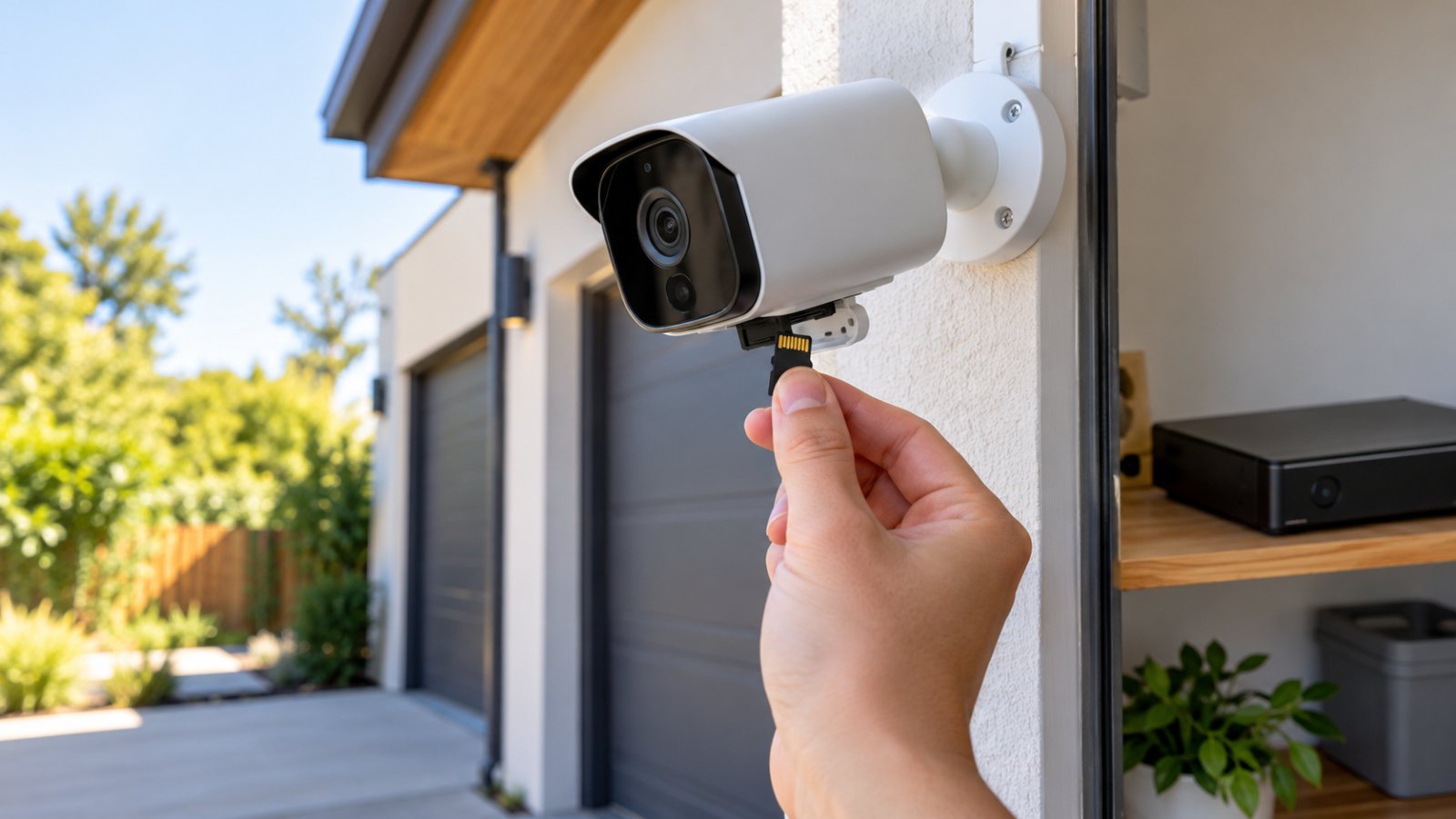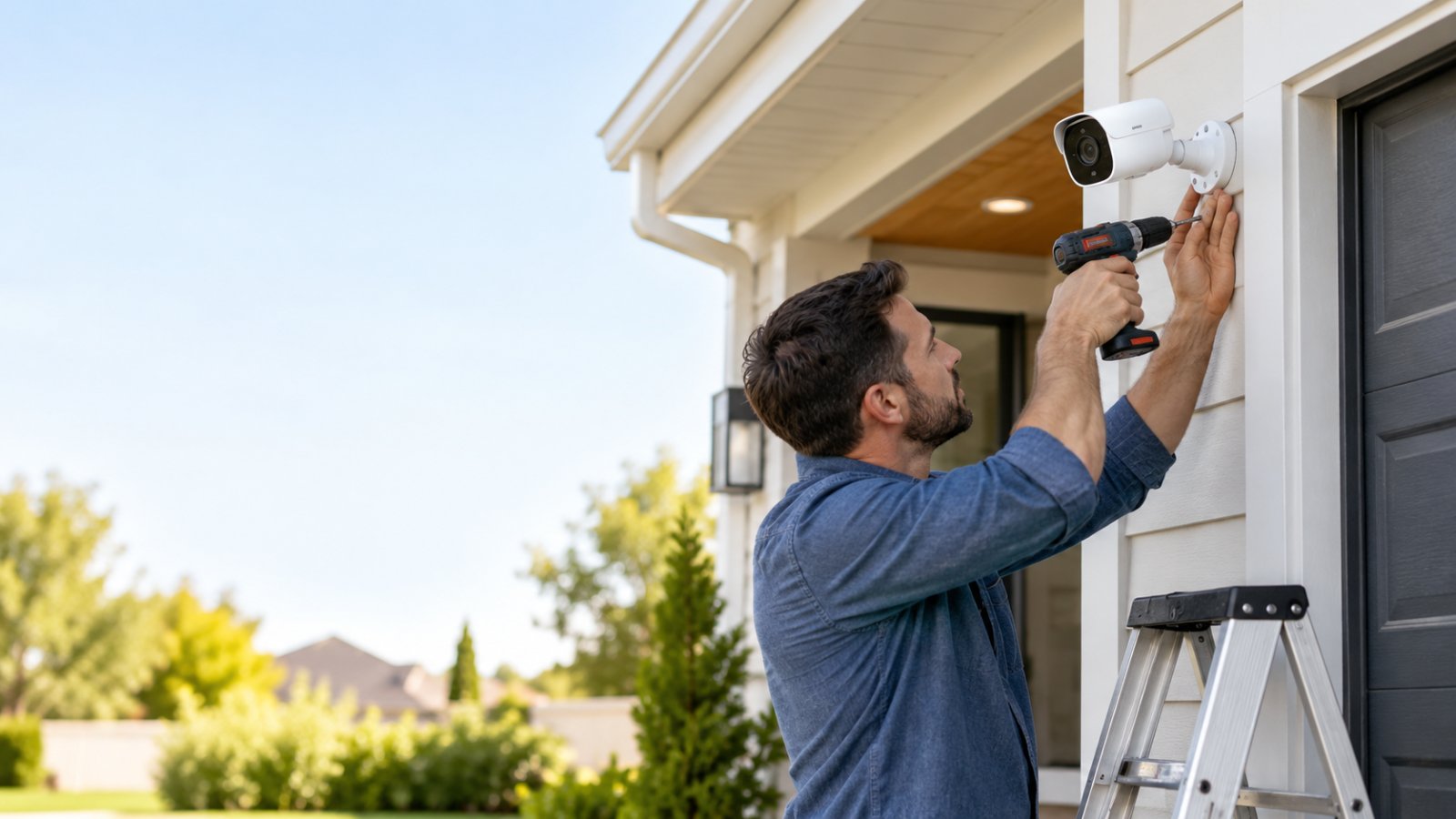
You want the best outdoor security cameras without subscription because you need to check your driveway, see who approached the front door, and review footage after an incident without paying a monthly cloud storage fee. The problem is that many cameras advertise free live viewing but require payment to access recordings.
The best choices are outdoor cameras that save footage locally to a microSD card, built-in storage, or a network video recorder. For most homes, a powered WiFi camera with local recording is a practical choice. Battery and solar cameras work well where electrical outlets are unavailable. If you need continuous recording from several cameras, a wired PoE system is usually more dependable.
This guide compares camera types and specific models using published specifications, recording options, installation requirements, and long-term costs. It explains what you can actually do without a subscription, which features may cost extra, and how to check that your camera records properly before you depend on it.

Best Outdoor Security Cameras Without Subscription: What to Look For
Start with the recording system, not the resolution printed on the box.
A camera that produces sharp 4K video is not much help if you cannot review yesterday's footage without activating a paid plan.
For subscription-free use, the camera should save video to storage you can access without an ongoing cloud payment.
That storage might be a microSD card inside the camera, built-in memory, or a recorder connected to your home network.
Before buying, check three things:
-
Where does the footage go?
-
Can you play it back without paying?
-
What happens when the storage becomes full?
Those answers tell you more about long-term usability than a long list of advertised smart features.
What Does No Subscription Actually Mean?
No subscription usually means the camera provides certain core functions without requiring a recurring cloud storage payment.
Depending on the model, those functions may include:
-
Live viewing through the manufacturer's application.
-
Recording to a microSD card.
-
Playback of locally saved video.
-
Motion detection.
-
Basic mobile notifications.
-
Two-way audio.
-
Recording schedules.
-
Downloading supported video clips.
The important distinction is between free access to the camera and free access to recordings.
Some cameras let you watch live video without payment but place recorded history behind a subscription.
Others offer local recording at no monthly charge while selling optional cloud backups.
Neither arrangement is necessarily deceptive, but the difference matters when you are trying to avoid recurring fees.
Before purchasing, confirm that you can open a recording from the previous day without starting a paid cloud trial.
Also check whether local storage is included.
A camera may support a 128GB or 512GB microSD card without supplying one. You will need to purchase a compatible card separately.
That adds to the initial cost, but it is different from an ongoing subscription.
How These Camera Options Were Evaluated
The cameras in this guide are compared using manufacturer-published features and practical installation requirements. They have not been ranked using claimed hands-on testing.
The main criteria are:
Local recording: Can the camera save and replay footage without a required cloud plan?
Outdoor protection: Is it designed for exposure to rain, dust, and expected operating temperatures?
Power: Does it need a power outlet, Ethernet, rechargeable battery, or solar panel?
Picture quality: Does its resolution and lens arrangement suit the area being monitored?
Night visibility: Can it record useful footage after dark, and does it require visible lighting?
Connection reliability: Will it work with the WiFi signal or wired network available at the mounting location?
Recording behavior: Does it record continuously, save motion events, or offer both?
Maintenance: How often might the owner need to charge batteries, check storage, or update firmware?
A camera for a covered doorway does not need exactly the same features as one watching a long driveway.
Choose the recording method and installation type first. Compare image quality and extras after that.
Best No-Subscription Outdoor Security Camera Options Compared
The following options represent different approaches to outdoor surveillance without mandatory cloud recording fees.
Each has a suitable use case, along with limitations that are easy to overlook when shopping.
1. Plug-In WiFi Camera With Local Storage: Best for Entrances and Patios
Best for: Front doors, covered entrances, patios, and other areas with accessible electrical power and reliable WiFi.
A plug-in WiFi camera communicates over your wireless network but receives electricity through a cable.
You do not have to recharge it, which makes it convenient for frequently monitored areas.
The Tapo C120 is an example.
Its published specifications include 2K QHD video, IP66 weather resistance, person, vehicle, and pet detection, and local microSD recording with supported cards up to 512GB.
It also offers two-way audio and night-vision features. Cloud storage is optional.
Strengths
-
Local recording without a mandatory cloud subscription.
-
No routine battery charging.
-
Suitable for entrances and nearby outdoor spaces.
-
Motion and object detection features.
-
Continuous recording support with compatible storage and settings.
-
Compact housing.
Limitations
-
Requires a suitable power connection.
-
Depends on a reliable 2.4 GHz WiFi signal.
-
The memory card may need to be purchased separately.
-
Optional cloud services cost extra.
-
Cable placement can limit mounting options.
What to check before buying
Find the nearest suitable power source before ordering.
For example, if you want the camera above the front door, check whether the supplied power cable can reach an appropriate outlet without leaving a connection exposed to rain.
Outdoor-rated camera housing does not automatically mean its power adapter or every connector can remain outdoors unprotected.
Next, test WiFi near the installation point.
If your phone repeatedly disconnects beside the entrance, investigate the network before mounting the camera.
When this option makes sense
Choose a powered WiFi camera when you want straightforward local recording and already have electricity and a dependable wireless signal near the area being watched.
2. Pan-and-Tilt Outdoor WiFi Camera: Best for Wide Yards and Driveways
Best for: Homeowners who want to change the viewing direction remotely or inspect different parts of a yard from one mounting location.
A pan-and-tilt camera can rotate horizontally and vertically through its supported movement range.
This is useful when a fixed camera cannot show everything you want to inspect from one direction.
For example, a camera mounted above a garage might be directed toward the driveway most of the time, then moved toward the side entrance when needed.
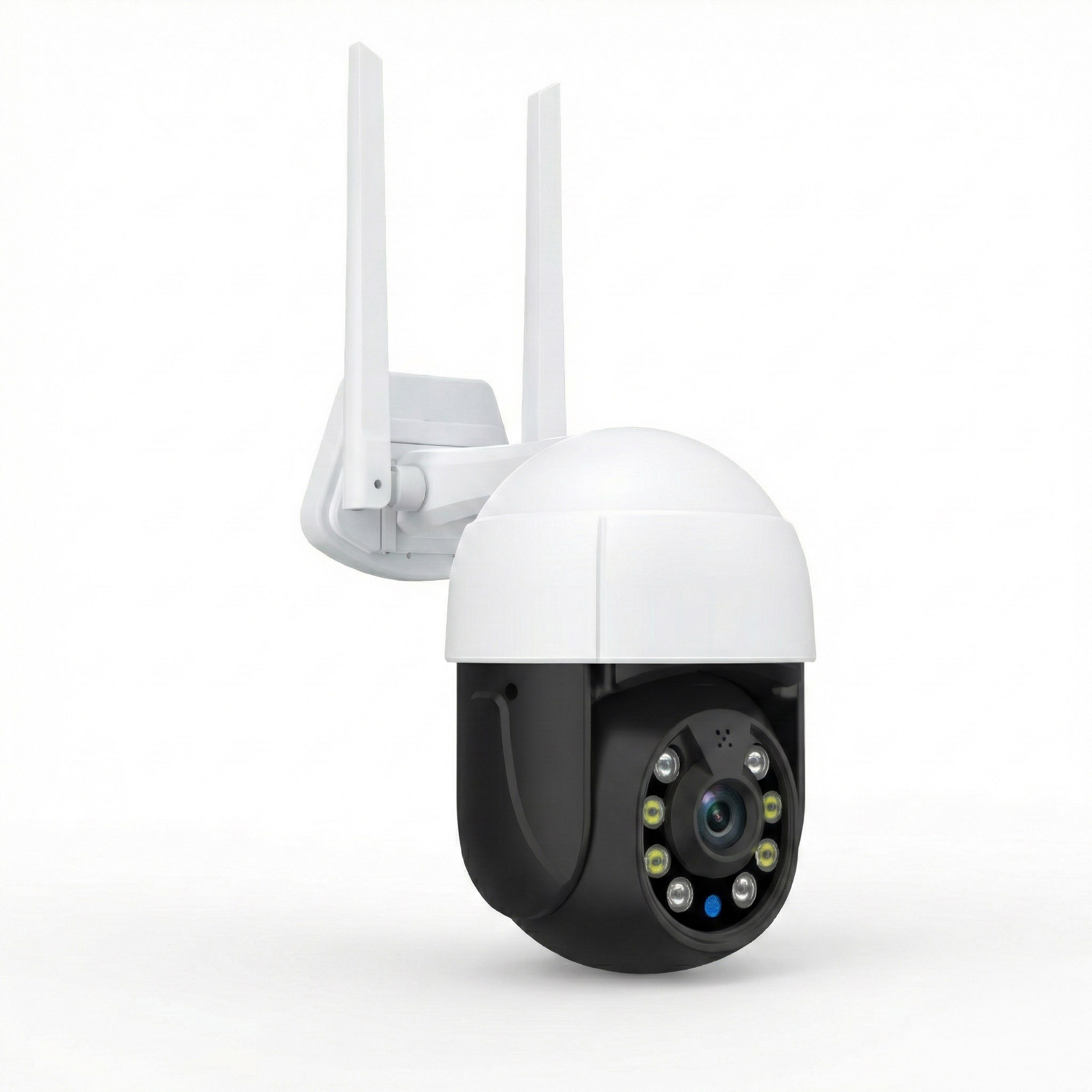
A ROOXIS outdoor security camera is one option to examine in this category.
Its published product information describes pan-and-tilt control, color night vision, and local microSD recording through the Smart Life application, with support for cards up to 128GB on the relevant model.
The local recording feature is offered without a mandatory cloud storage subscription.
You can review the available models and current specifications on the ROOXIS products page.
Strengths
-
Adjustable viewing direction.
-
Useful for checking several nearby areas.
-
Local recording without required cloud payments.
-
Remote camera movement through a supported application.
-
Color night-vision features on supported models.
-
Flexible viewing from one mounting position.
Limitations
-
Does not necessarily watch every direction simultaneously.
-
Movement and tracking features vary by model.
-
Requires suitable power and network connectivity.
-
Memory card capacity varies.
-
Moving parts add another component that may eventually need maintenance.
What to check before buying
Determine whether you need to inspect different areas or record them all at the same time.
Those are not the same requirement.
A pan-and-tilt camera pointed toward the driveway may not capture activity at the side gate at that moment.
If both areas need constant coverage, two fixed cameras may be more suitable.
Also confirm whether automatic motion tracking is supported, whether it operates without a subscription, and whether recorded playback remains available locally.
When this option makes sense
Choose pan-and-tilt when flexible viewing is valuable and you understand that camera movement does not guarantee simultaneous coverage of every corner.
3. Battery and Solar Camera: Best for Garages and Areas Without Power Outlets
Best for: Detached garages, garden entrances, sheds, and other locations where running a power cable would be inconvenient.
Battery cameras offer more freedom in placement.
You can install one without connecting it to permanent electrical wiring, provided the mounting location and network connection are suitable.
Some models support compatible solar panels to help recharge their batteries.
The eufy SoloCam S340 is one example. Its published specifications include dual cameras, pan-and-tilt movement, 8GB of built-in local storage, and solar charging support.
The Reolink Argus 3 Ultra is another example of a rechargeable outdoor camera that supports local microSD recording and compatible solar charging.
Both illustrate how local storage can be combined with battery operation without requiring a monthly cloud plan for basic recording.
Strengths
-
No permanent power cable required.
-
Flexible mounting locations.
-
Useful for areas with limited electrical access.
-
Local recording options.
-
Solar charging on supported models.
-
Convenient for motion-triggered monitoring.
Limitations
-
Many battery cameras record events rather than continuous footage.
-
Frequent motion detection can increase power consumption.
-
Cold weather can affect battery performance.
-
Solar charging depends on sunlight and panel placement.
-
Local storage capacity may be limited.
-
WiFi models still need a reliable wireless connection for remote features.
What to check before buying
Find out whether the camera records continuously or only when an event triggers it.
For example, a motion-triggered camera may record a person walking toward a garage but not provide an uninterrupted timeline of the period before that event.
If you want to review every minute of an overnight period, a conventional battery model may not meet your needs.
Check whether the solar panel is included. Also look at where it can be mounted.
A panel positioned under a deep roof overhang may receive too little sunlight to keep up with the camera's power consumption.
When this option makes sense
Battery or solar cameras are practical when installation flexibility matters more than continuous recording.
4. PoE Outdoor Camera: Best for Reliable Continuous Recording
Best for: Driveways, main gates, garage entrances, and other locations where uninterrupted recording is important.
PoE stands for Power over Ethernet.
A compatible camera receives network connectivity and electrical power through an Ethernet cable connected to suitable PoE equipment.
This removes the need for a WiFi connection at the camera.
The Reolink RLC-811A is an example.
Its published specifications include 4K video, IP67 weather resistance, 5x optical zoom, person and vehicle detection, and support for local recording using compatible storage.
It supports motion-triggered, scheduled, and continuous recording modes.
Strengths
-
Stable wired network connection.
-
Well suited to continuous recording.
-
Avoids common WiFi interference problems.
-
Local storage options.
-
Suitable for important entrances and driveways.
-
Can work with compatible network video recorders.
Limitations
-
Requires Ethernet cabling.
-
Needs compatible PoE power equipment.
-
Installation may involve drilling or routing cables.
-
Recorder and storage accessories can increase initial cost.
-
Compatibility must be confirmed before combining equipment.
What to check before buying
An ordinary Ethernet connection does not automatically provide PoE power.
The camera must be connected to a compatible PoE switch, injector, or recorder with the correct power capability.
Plan the cable route.
For a camera above the garage, the cable might run through an attic or a properly protected exterior route.
Check the manufacturer's cable and weatherproofing requirements.
Also confirm where recordings will be stored.
Some PoE cameras support onboard microSD recording. Others are intended primarily for use with a recorder.
When this option makes sense
Choose PoE when reliable recording matters more than avoiding installation work, particularly for a permanent home security setup.
5. Multi-Camera NVR System: Best for Larger Properties
Best for: Homes with several entrances, detached buildings, long driveways, or multiple areas requiring simultaneous recording.
An NVR, or network video recorder, stores footage from compatible network cameras in one location.
Instead of managing recordings separately on every camera, you can review activity through the recorder's interface or supported application.
A larger property might have cameras covering:
-
Front gate.
-
Main entrance.
-
Driveway.
-
Garage.
-
Backyard.
-
Side passage.
-
Rear entrance.
Compatible PoE camera kits from manufacturers such as Reolink illustrate this type of arrangement.
A local NVR can record footage without requiring a cloud storage subscription.
Strengths
-
Centralized recording.
-
Suitable for multiple cameras.
-
Continuous recording on compatible systems.
-
Easier review of footage from several locations.
-
Larger storage options than many standalone cameras.
-
More convenient for expanding a permanent system.
Limitations
-
Higher initial equipment cost.
-
Cabling and recorder installation.
-
Hard drive maintenance.
-
Camera compatibility requirements.
-
A recorder failure can affect recording from several cameras.
What to check before buying
Start with the number of camera channels.
If you need four cameras now but may add more later, check whether the recorder supports future expansion.
Review the supported recording resolution, storage capacity, and compatible camera models.
Also consider where the recorder will be installed.
Putting the recorder in an exposed garage or beside an easily accessible entrance could make stored footage vulnerable to theft.
A secure indoor location is preferable.
When this option makes sense
An NVR system is worth considering when several cameras need to record consistently and you want one place to manage the footage.
Outdoor Security Camera Comparison Table
| Camera Type | Best For | Local Storage | Main Advantage | Main Limitation |
|---|---|---|---|---|
| Plug-in WiFi camera, such as Tapo C120 | Front entrance, patio, small yard | microSD | Straightforward local recording | Needs power and stable WiFi |
| Pan-and-tilt WiFi camera, such as the ROOXIS outdoor model | Yard, driveway, flexible viewing | microSD | Remote viewing-direction control | Cannot necessarily monitor all directions simultaneously |
| Battery or solar camera, such as eufy SoloCam S340 | Detached garage, location without power | Built-in or supported local storage | Flexible installation | Usually prioritizes motion events |
| PoE camera, such as Reolink RLC-811A | Main entrance, driveway, continuous monitoring | microSD or compatible recorder | Reliable wired network connection | Ethernet installation required |
| Multi-camera NVR system | Larger properties with several entrances | Recorder hard drive | Centralized recording and playback | More equipment and installation work |
For a single front door, a powered WiFi camera with microSD storage is often enough.
For a garage without electricity, a battery camera solves the immediate installation problem.
For several entrances that need continuous coverage, PoE cameras and an NVR are usually worth comparing first.
What Features Are Actually Free Without a Subscription?
Two cameras can both advertise no monthly fees while providing different features.
One may include local playback and person detection at no extra cost. Another may charge for cloud history or additional alert features.
Review the free features individually.
Live Viewing
Many subscription-free cameras allow live viewing through their mobile applications.
You open the app, select the camera, and watch what it sees.
Remote live viewing normally requires the camera to have internet access.
If your home internet stops working, a camera may continue recording locally while remote viewing becomes unavailable.
Also check whether the app requires account registration.
A camera with free live viewing may still depend on the manufacturer's online services for remote access.
Motion Alerts
Basic motion notifications are included with many outdoor cameras.
Some models distinguish between people, vehicles, animals, and other movement.
These features can reduce unnecessary notifications.
For example, a driveway camera that identifies people may generate fewer irrelevant alerts from moving branches.
But not all detection features are free.
Some manufacturers include basic movement alerts while charging for richer notification previews or extra online history.
Confirm what the camera provides without a subscription.
Local Video Playback
For subscription-free buyers, this is the feature that matters most.
Open the recording section in the manufacturer's application.
You should be able to find locally stored footage and play it back without paying for cloud access.
Useful functions include:
-
Viewing saved motion events.
-
Browsing recorded dates.
-
Opening a continuous recording timeline where supported.
-
Downloading important clips.
-
Checking available storage.
-
Managing recording settings.
Do not assume that a camera supports all these functions simply because it has a memory card slot.
Check the manual or current product description.
Person and Vehicle Detection
Person and vehicle detection can make outdoor cameras more practical.
A camera facing a driveway may otherwise send alerts whenever shadows change or branches move.
Object detection can help separate some important events from ordinary background movement.
However, it is not perfect.
Poor lighting, distance, unusual viewing angles, and weather can affect detection.
Use these features to improve alerts, not as a guarantee that every event will be recognized.
Cloud Backup
Cloud storage keeps copies of recordings away from the camera.
That can help when a camera is damaged or stolen.
Local storage avoids a required cloud fee, but it has a different limitation.
If the only copy is on a microSD card inside the outdoor camera, someone who removes the camera may take the recording with it.
For important entrances, consider compatible centralized recording or another supported backup option.
A no-subscription setup can still be designed with better footage protection.
Understanding Local Storage Before You Buy
Local storage is the main reason many homeowners choose cameras without monthly fees.
But storage capacity, recording mode, and physical security determine how useful that footage will be.
microSD Cards
Many standalone outdoor cameras save recordings to microSD cards.
This keeps the setup simple.
However, security cameras may write video repeatedly throughout the day.
Choose a card that meets the manufacturer's capacity, speed, and compatibility requirements.
For frequent recording, a high-endurance card designed for repeated writing is worth considering.
Check the supported capacity before buying.
A larger card will not necessarily work if it exceeds the camera's specifications.
Also confirm whether the manufacturer recommends formatting the card inside the camera.
Never format a card containing footage you still need.
Built-In Storage
Some cameras include internal memory.
This avoids buying a separate microSD card.
However, built-in storage capacity may be limited.
A camera saving short motion clips may retain useful history with relatively modest storage.
A camera recording continuously at high resolution will consume much more space.
Check whether the manufacturer provides a realistic recording-duration estimate for the selected mode.
Do not assume that a stated storage capacity guarantees a particular number of recording days.
Network Video Recorders
An NVR stores footage from compatible cameras on a local hard drive.
This is useful when several cameras operate simultaneously.
A recorder may also provide centralized playback, recording schedules, and storage management.
Check camera compatibility before purchasing.
Not every WiFi or battery camera works with every NVR.
Some proprietary systems require specific recorders or communication methods.
How Much Storage Do You Need?
Recording duration depends on more than the size of the card.
Important factors include:
-
Video resolution.
-
Bitrate.
-
Frame rate.
-
Recording mode.
-
Number of cameras.
-
Amount of motion.
-
Video compression settings.
-
Desired retention period.
A camera facing a quiet side door may record relatively few events.
A driveway camera facing a busy road may trigger recordings much more often.
Continuous recording creates an entirely different storage requirement.
Use the manufacturer's recording estimates for your chosen settings, then allow for variation in actual activity.
What Happens When Storage Is Full?
Many cameras support loop recording.
When the card or drive fills, older footage is overwritten by newer recordings.
That allows recording to continue without manually clearing storage.
However, an important clip can disappear if you do not save it before the system overwrites it.
If the camera captures an incident, export the relevant video promptly.
Check the exported file to make sure it plays correctly.
Do not assume the original clip will remain on the camera indefinitely.
What Makes a Good Outdoor Security Camera?
The useful measure of a camera is whether its footage helps you understand what happened.
A high-resolution specification is only one part of that.
Video Resolution and Image Detail
Outdoor cameras commonly advertise 1080p, 2K, 3K, or 4K resolution.
Higher resolution can capture more detail, but it does not guarantee a better image in every situation.
Lens quality, compression, lighting, distance, and camera positioning all affect the result.
For a front entrance, you may want a clear view of visitors approaching the door.
For a driveway, you may need to distinguish people from vehicles and see activity across a wider area.
A broad field of view can make distant objects appear small.
Digital zoom enlarges the recorded pixels. It cannot restore detail that was never captured.
If distant identification matters, review the camera's lens specifications and available example footage rather than relying only on resolution.
Night Vision
Night recording deserves particular attention because outdoor lighting changes throughout the evening.
Common options include:
Infrared night vision
Uses infrared illumination and often produces black-and-white footage.
Color night vision
Uses available light, sensitive imaging hardware, or additional illumination to produce color images.
Spotlight-assisted recording
Uses visible lighting to brighten the area and improve nighttime detail.
The right option depends on the location.
A visible spotlight may be useful near a driveway, but it can disturb neighbors if aimed toward their windows.
Infrared recording can be less noticeable, although reflections and nearby objects can affect image quality.
For example, spiderwebs close to the camera may reflect infrared light and make night footage difficult to see.
Review how the camera performs at the distance you actually need to monitor.
Weather Resistance
Outdoor cameras must tolerate the conditions at their mounting locations.
Check the published IP rating and operating temperature range.
IP65, IP66, and IP67 are common outdoor ratings.
They describe resistance to dust and water under defined test conditions.
They do not guarantee that every part of an installation can be exposed to heavy rain.
Power adapters, cable joints, and storage compartments may require additional protection.
Follow the manufacturer's mounting instructions.
If a camera is installed under an open roof edge where water runs directly onto the housing, check whether that exposure matches its intended use.
Field of View
A wide-angle camera can show more of a driveway or yard from one position.
The tradeoff is that distant objects may occupy fewer pixels.
For a front entrance, a fixed field of view aimed at the approach path may work well.
For a large yard, you may need several fixed cameras or a system with adjustable viewing.
Pan-and-tilt can help inspect different directions, but it does not guarantee simultaneous recording of every area.
Choose the field of view based on what must remain visible.
Motion Detection and Activity Zones
A camera facing trees, a road, or a busy sidewalk can generate too many alerts.
Look for adjustable motion sensitivity and activity zones.
An activity zone limits monitoring to selected parts of the camera's image.
For example, you may want notifications when someone enters your driveway but not whenever a vehicle passes on the road beyond it.
Check whether the camera supports separate detection settings for people and other movement.
Some cameras also provide privacy zones that hide particular sections of the image.
These can help reduce unnecessary recording of neighboring property.
How to Choose the Right Camera for Your Property
Start with the exact location you want to watch.
Then consider the available power, network connection, recording requirements, and mounting restrictions.
For a Front Door
A front-door camera should provide a clear view of approaching visitors.
Prioritize:
-
Reliable motion alerts.
-
Useful detail at close range.
-
Local recording.
-
Suitable night vision.
-
Two-way audio if needed.
-
Easy playback through the app.
A plug-in WiFi camera can work well when power and signal are available.
Position it so people approaching the entrance remain visible.
Avoid aiming it too high or toward a bright light source that may reduce useful detail.
For a Driveway
Driveways often require broader coverage.
A camera may need to capture vehicles entering the property, people walking near parked cars, and activity around a garage.
Look for reliable recording, appropriate image detail, and suitable nighttime performance.
A powered fixed camera is useful when you want the same area recorded continuously.
A pan-and-tilt camera offers flexibility, but it may be looking elsewhere when something happens.
If the driveway is a critical monitoring area, consider whether continuous recording is worth the additional wiring.
For a Backyard
A backyard camera may face trees, fences, moving shadows, and changing sunlight.
Adjustable detection zones are particularly useful.
You may want alerts for movement near a rear gate but not for every branch moving in the wind.
A wide-angle camera can cover an open patio.
A pan-and-tilt model may help inspect different garden areas.
Do not aim the camera directly toward neighboring private spaces when another suitable angle is available.
For a Detached Garage
Start with power availability.
If there is no convenient electrical connection, a battery or solar model may be practical.
Next, test WiFi.
A garage separated from the main house by thick exterior walls may receive a weak signal.
Do not assume a solar camera will work simply because it does not require a power cable.
It still needs suitable connectivity for remote viewing and alerts.
If reliable WiFi is unavailable, investigate a suitable network extension or another supported communication method.
Cellular cameras may require paid data plans, so check recurring costs carefully.
For a Rental Property
Renters often need cameras that can be removed without major repairs.
Battery-powered models may be easier to install because they do not require permanent wiring.
However, mounting restrictions still apply.
Check your rental agreement and obtain permission where necessary.
A removable mount should also hold the camera securely and meet the manufacturer's instructions.
Avoid pointing cameras into areas where people have a reasonable expectation of privacy.
A simple installation is useful only if it is secure, permitted, and provides dependable recordings.
How to Set Up an Outdoor Camera Without a Subscription
Before depending on a new camera, confirm that it can save and replay footage locally.
Do this while you can still reach the device easily.
Step 1: Confirm Power and WiFi
Identify how the camera receives power.
For a plug-in model, check the cable route and outlet location.
For a battery model, fully charge the battery before installation.
For a PoE camera, verify that the power equipment supports the required standard.
Then test the network.
Stand near the proposed mounting location with your phone.
Check whether WiFi remains connected and whether normal internet activity works.
A phone test is not a perfect measure of camera performance, but it can reveal an obvious coverage problem.
If WiFi is weak, fix that before permanently mounting the camera.
Step 2: Install the Official Application
Download the manufacturer's official camera app from the relevant app store.
Confirm the developer name.
Create an account if the system requires one.
Follow the pairing instructions for the exact camera model.
Some cameras use QR codes. Others create a temporary setup network or use Bluetooth during installation.
If pairing fails, check whether the camera supports your current WiFi band.
Many outdoor WiFi cameras require 2.4 GHz.
Do not assume every model supports 5 GHz.
Step 3: Insert or Configure Local Storage
If the camera uses a microSD card, confirm that the card is compatible.
Insert it according to the manual.
Open the application and find the storage section.
Depending on the app, it may be called:
-
Storage.
-
SD Card.
-
Local Storage.
-
Device Storage.
-
Recording Settings.
Check whether the camera recognizes the card.
If formatting is required, use the supported procedure.
Do not format a card that contains recordings you need to preserve.
For an NVR, check that the recorder recognizes its storage drive and connected cameras.
Step 4: Enable Recording
Open the camera's recording settings.
Look for the available modes.
These may include:
-
Motion-triggered recording.
-
Continuous recording.
-
Scheduled recording.
-
Event recording.
Select the mode that matches your needs and the camera's capabilities.
For a front entrance, motion-triggered recording may be sufficient.
For a driveway where you want a complete timeline, continuous recording may be preferable.
Battery cameras often have different recording limitations from powered models.
Do not assume that enabling motion notifications automatically activates video recording.
Check both settings.
Step 5: Test Motion Alerts
Walk through the area the camera should monitor.
Wait for the expected notification.
Open the application and check whether a clip was saved.
If you receive a notification but no video appears, investigate the recording settings.
If the camera detects every moving branch, reduce sensitivity or adjust the activity zone.
Repeat the test after dark when possible.
Nighttime detection and image quality can differ from daytime performance.
Step 6: Verify Playback Without a Paid Plan
This is the most important setup test.
Open the recording history or local playback section.
Select a clip from your test.
Play it.
If downloading or exporting is supported, save a copy and confirm that it opens.
Make sure you can do this without activating a cloud subscription.
Some apps separate cloud recordings from local storage.
If the screen asks you to start a paid trial, check whether you opened the cloud history section instead.
Do not enter payment details unless you intend to purchase an optional service.
Step 7: Secure the Camera Account
Use a strong, unique password for the camera account.
Enable two-factor authentication where supported.
Change default administrator credentials if the system provides them.
Install official firmware updates.
If several family members need access, use the manufacturer's sharing features rather than distributing one administrator password.
Review who has access after a phone is replaced or someone no longer needs the camera feed.
The Federal Trade Commission's home camera security guidance also recommends protecting the home network, using strong passwords, and keeping camera software updated.
Common Mistakes When Buying Cameras Without Monthly Fees
A no-subscription camera can still be disappointing if its storage, power, or network requirements do not match your property.
These are the mistakes worth checking before purchase.
Mistake 1: Assuming Free Live View Means Free Recording
Free live viewing does not guarantee free access to recorded history.
Read the manufacturer's recording description.
Look specifically for microSD, built-in storage, or local recorder support.
Then confirm that playback is available without activating cloud storage.
Mistake 2: Forgetting the Storage Card
A camera with a microSD slot may arrive without a memory card.
If local storage is required for recording, you may need to buy one before the camera can save footage.
Check supported capacity and card requirements.
For frequent video recording, consider a compatible high-endurance card.
Include that cost when comparing cameras.
Mistake 3: Choosing Battery Power for Constant Recording
Most conventional battery cameras are designed to conserve power.
They often wake when movement is detected, record an event, and return to a low-power state.
That is different from recording every minute.
If you need uninterrupted footage, choose a camera that explicitly supports continuous recording and has a suitable power arrangement.
Mistake 4: Ignoring WiFi Strength
A camera mounted behind a concrete exterior wall may struggle to communicate with the indoor router.
Before installation, check the signal near the mounting location.
If connectivity is poor, improve the network or consider a wired alternative.
Do not assume a camera's advertised wireless range applies through several walls.
Mistake 5: Expecting Color Night Vision Without Enough Light
Color night vision may depend on ambient light or a spotlight.
In very dark conditions, some cameras switch to infrared recording or activate visible illumination.
Check the exact night-vision method.
If a spotlight faces a bedroom window, consider whether that installation will cause unnecessary disturbance.
Mistake 6: Ignoring Footage Theft or Damage
A microSD card inside an outdoor camera is convenient but physically accessible if the camera is removed.
For important areas, consider storing footage in a compatible recorder placed securely inside the property.
Local recording and secure recording are related but separate considerations.
Mistake 7: Assuming No Subscription Means No Ongoing Costs
Avoiding monthly cloud fees does not eliminate every expense.
You may still need to replace memory cards, batteries, cables, or other components.
A cellular camera may need a data plan.
The useful distinction is whether ongoing payment is required to access essential recording features.
How to Keep Outdoor Cameras Reliable Over Time
A camera should not be installed and forgotten.
A short, regular check can catch recording problems before you need the footage.
Check Recording Status
Open the camera application periodically.
Confirm that local storage is recognized.
Check for storage errors.
Play a recent recording.
If the camera has stopped saving clips, investigate immediately.
A live picture does not prove recording is working.
Keep Firmware Updated
Manufacturers release firmware updates to fix software issues and security vulnerabilities.
Use the official update process.
Do not interrupt power while firmware is being installed.
After the update, check live viewing, recording, and notifications.
If the camera's behavior changes, review the settings before assuming the update caused a hardware failure.
Review Nighttime Footage
Open a recording captured after dark.
Check whether the entrance, driveway, or other monitored area is visible.
Look for glare, reflections, and objects blocking the view.
Spiderwebs near the lens can reflect infrared illumination and create a bright haze.
Clean the lens and housing according to the manufacturer's instructions.
Also check that nearby lights are not shining directly into the camera.
Test Notifications
Walk through the detection area and confirm that your phone receives an alert.
If notifications are missing, check the camera's motion settings and the phone's notification permissions.
Also verify that the camera has an internet connection when remote alerts require one.
A camera may still record locally even when push notifications stop working.
Check both functions separately.
Maintain Local Storage
Memory cards experience wear from repeated video recording.
Watch for recording errors, corrupted files, or cards that repeatedly disappear from the application's storage menu.
Use compatible replacement cards when necessary.
For an NVR, monitor drive health and available recording capacity where supported.
If the camera captures footage you may need for insurance or another legitimate purpose, export it promptly.
Do not depend on loop recording to preserve the clip indefinitely.
FAQ
Can Outdoor Security Cameras Record Without a Subscription?
Yes. Many outdoor cameras save footage to a microSD card, built-in storage, or a compatible network video recorder without requiring a cloud subscription. Check whether the model supports motion recording, continuous recording, or both, because those functions differ.
Do Outdoor Security Cameras Work Without WiFi?
Some cameras use wired Ethernet, and certain models can continue recording locally without an active internet connection. WiFi cameras normally require wireless connectivity for remote viewing and notifications. Whether recording continues during an outage depends on the camera's power source, storage, and offline recording capabilities.
Which Is Better, a Solar Camera or a Wired Camera?
A solar camera is useful when permanent power is unavailable and motion-event recording meets your needs. A wired camera is generally more suitable for continuous recording and locations where dependable power is important. The better choice depends on installation conditions, sunlight, and how much footage you need to retain.
Can I Watch My Security Camera From My Phone Without Paying Monthly?
Many subscription-free outdoor cameras allow live viewing and supported local playback through their mobile applications without a monthly cloud fee. Remote access normally requires internet connectivity and the manufacturer's supported connection method. Confirm that recorded playback, not just live viewing, is included.
How Long Can a Security Camera Store Video on a microSD Card?
Recording duration depends on card capacity, video resolution, bitrate, recording mode, and how frequently motion events occur. Continuous recording uses storage much faster than occasional event clips. Many cameras overwrite older footage when storage becomes full, so export important recordings before they disappear.
Are Security Cameras Without Subscriptions Secure?
They can be, provided the camera receives security updates and the owner uses appropriate account and network protections. Use unique passwords, enable two-factor authentication when available, and keep firmware current. Local storage avoids dependence on paid cloud recording but does not eliminate cybersecurity risks or protect footage from physical theft.
The best outdoor security cameras without subscription should let you record, review, and save footage without a monthly payment.
For a front entrance, a powered WiFi camera with microSD storage may be all you need. For a detached garage without electricity, a battery or solar model is more practical. For several entrances requiring continuous footage, PoE cameras and a local recorder deserve closer consideration.
Before you buy, confirm where the footage is stored, whether playback works without payment, and whether the camera has reliable power and connectivity at its mounting location.
Those three checks will prevent more disappointment than choosing a camera based on resolution or advertised smart features alone.